Unified State · Tool update
With Earth: See Your Place in a Moving World
A new 3D posture view connects your gaze, the Sun, and Earth’s orbital direction—wherever you choose to place yourself on the map.
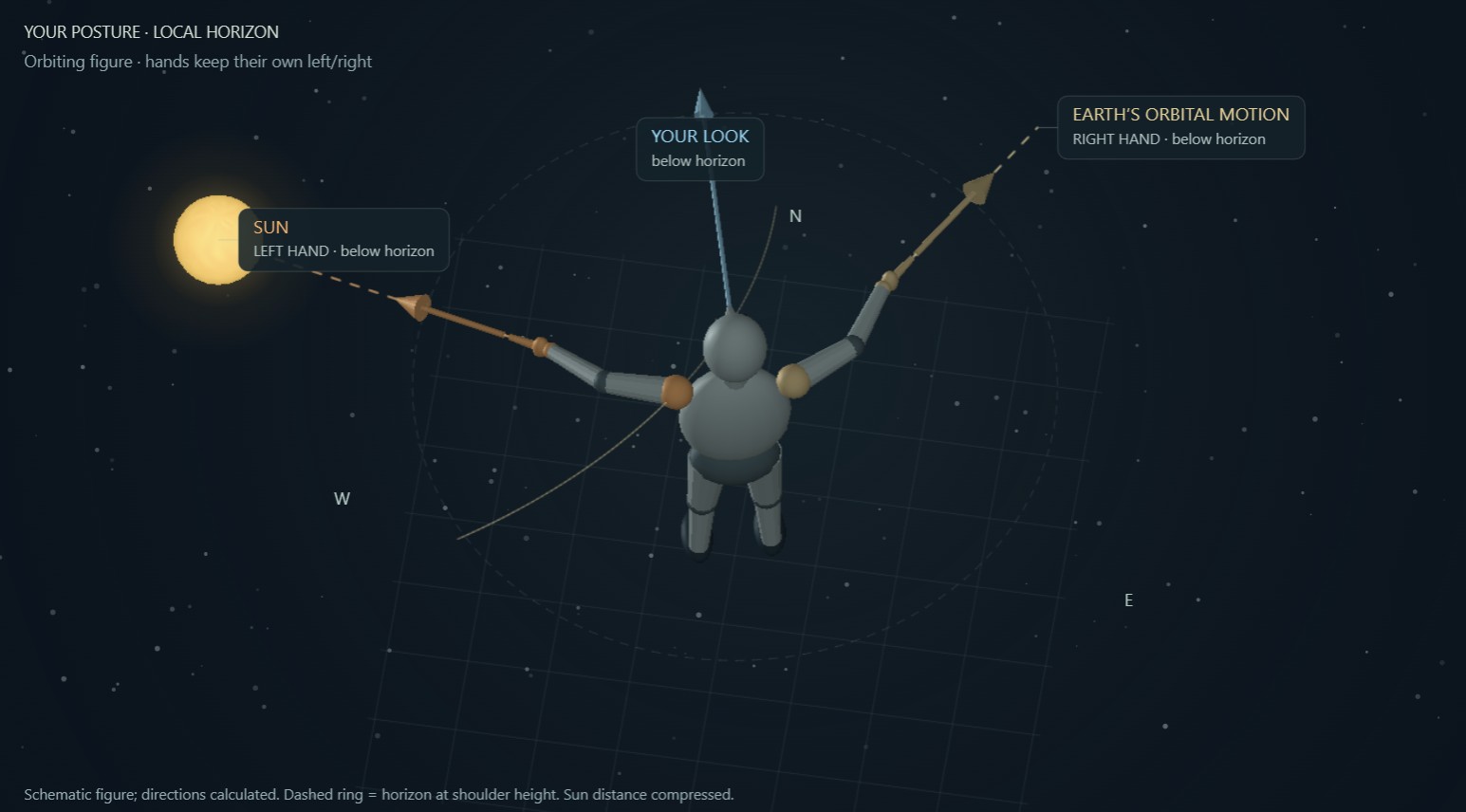
Where is the Sun? Which way is Earth moving around it? And how do those directions relate to where you are looking?
With Earth, our interactive meditation in motion, now includes new ways to explore those relationships: a rotatable 3D posture guide, direction arrows across the Solar System and Galactic views, and a steadier Earth-centered camera.
New: Your posture
Choose a place on Earth and set a comfortable looking direction. In the new Your posture tab, a simple 3D figure faces that bearing, with its head and blue gaze arrow following the elevation you entered.
By default, its right hand points along Earth’s orbital motion relative to the Sun, while its left hand points toward the Sun. A horizon ring, ground grid, and optional orbit sketch help put those directions into context.
Rotate around the figure, choose Behind figure to follow its left and right without mirror reversal, or use Swap hands. Hold this pose freezes the displayed time while you explore. Directions below the horizon are labeled rather than presented as objects visible through the ground.
Your gaze across a wider map
The direction you choose now carries into the larger scenes, so you can compare the same gaze at different scales.
A motion-aligned grid, solid 3D arrows, and an illustrated Sun give movement direction and depth.
Your blue gaze arrow appears at the Earth marker beside the gold orbital-motion arrow.
Your gaze, Earth’s orbital-motion vector, and the Sun’s Galactic-motion vector are shown together, with distinct labels and colors.
A steadier way to explore
The Earth camera now turns around the orbital plane and tilts above or below it without sideways banking. Earth remains the center of the view; the illustrated Sun provides context without moving the camera’s pivot. Changing the viewing angle does not change your selected place or gaze.
Begin with where you are
Choose your location manually or opt in to device location, enter your looking direction, and open Your posture → Behind figure. Small, comfortable gestures—or simply imagining the directions—are enough.
The silent 3-, 6-, and 9-minute journeys remain available, with a return to your immediate surroundings whenever you need it. No account is required, and location and phone-motion access remain optional.
You do not need to go somewhere else.
Begin with where you are.
A meditation in motion · An independent Unified State tool